
Stay central, live local in Athens.
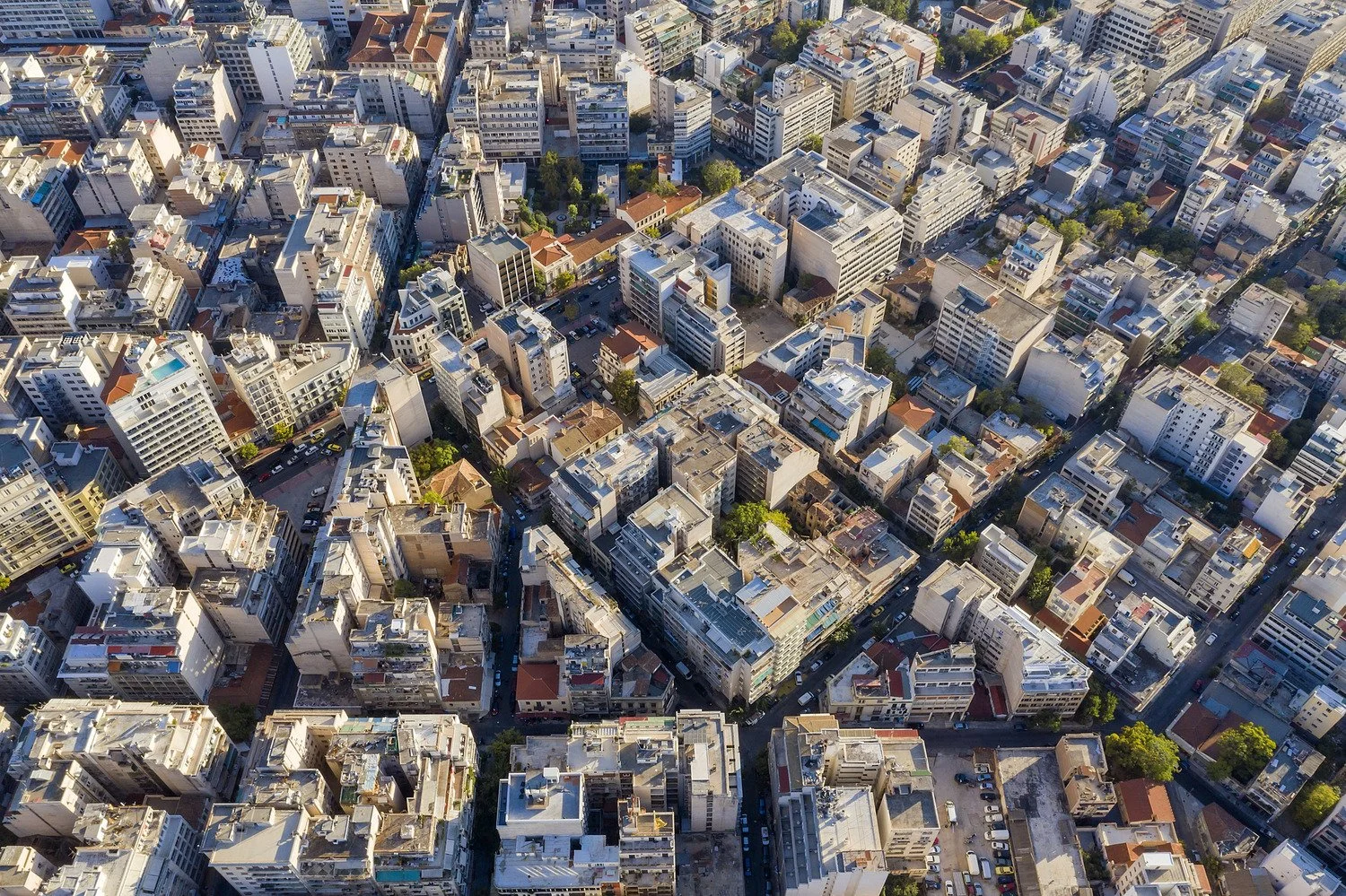
Welcome to Grea Iras. Your self-service aparthotel with 14 modern apartments in central Athens. We’re located on the edge of the Plaka district and minutes from sites including the Acropolis, Arch of Hadrian and the Temple of Zeus.
Our neighbourhood is brimming with cafes, restaurants, bars and boutiques in cool Neos Kosmos and creative Koukaki.
With kitchens, work spaces and space to work out, this is your place to live like a local in Athens.
-

Athens attractions.
Ancient history sits right on your doorstep with sites such as the Acropolis, Temple of Zeus and Arch of Hadrian within a 10-minute walk. Grea Iras is on the edge of the historical districts of Plaka and Anafiotika, while the artistic neighbourhood of Koukaki is home to excellent restaurants, bars and boutiques.
-

Downtown neighbourhood.
Grea Iras is in the central neighbourhood of Neos Kosmos in the south of downtown Athens. You’re steps from the city’s top sites while living among local residents. Syngrou-Fix Metro Station is a 3-minute walk with Fix tram stop just 1-minute away. Syntagma Square and Monastiraki Metro Stations are both within a 15-minute walk, connecting you to the wider city in no time.
-
Comfortable living.
Our serviced apartments feature kitchenettes, air-conditioning, private bathrooms, desks and city views. Each room includes a microwave, hob, coffee maker, and complimentary toiletries. Additional amenities in select apartments include a dishwasher, terrace or balcony, and seating areas.
-
Extra facilities.
Our long stay hotel has superfast, free WiFi, housekeeping, self-service laundry facilities, luggage lockers and a spin bike room, leaving you to stay connected, pack light and live like a local.
Book direct for our exclusive launch offer
Our apartments.
We have three different serviced apartment types in Athens.
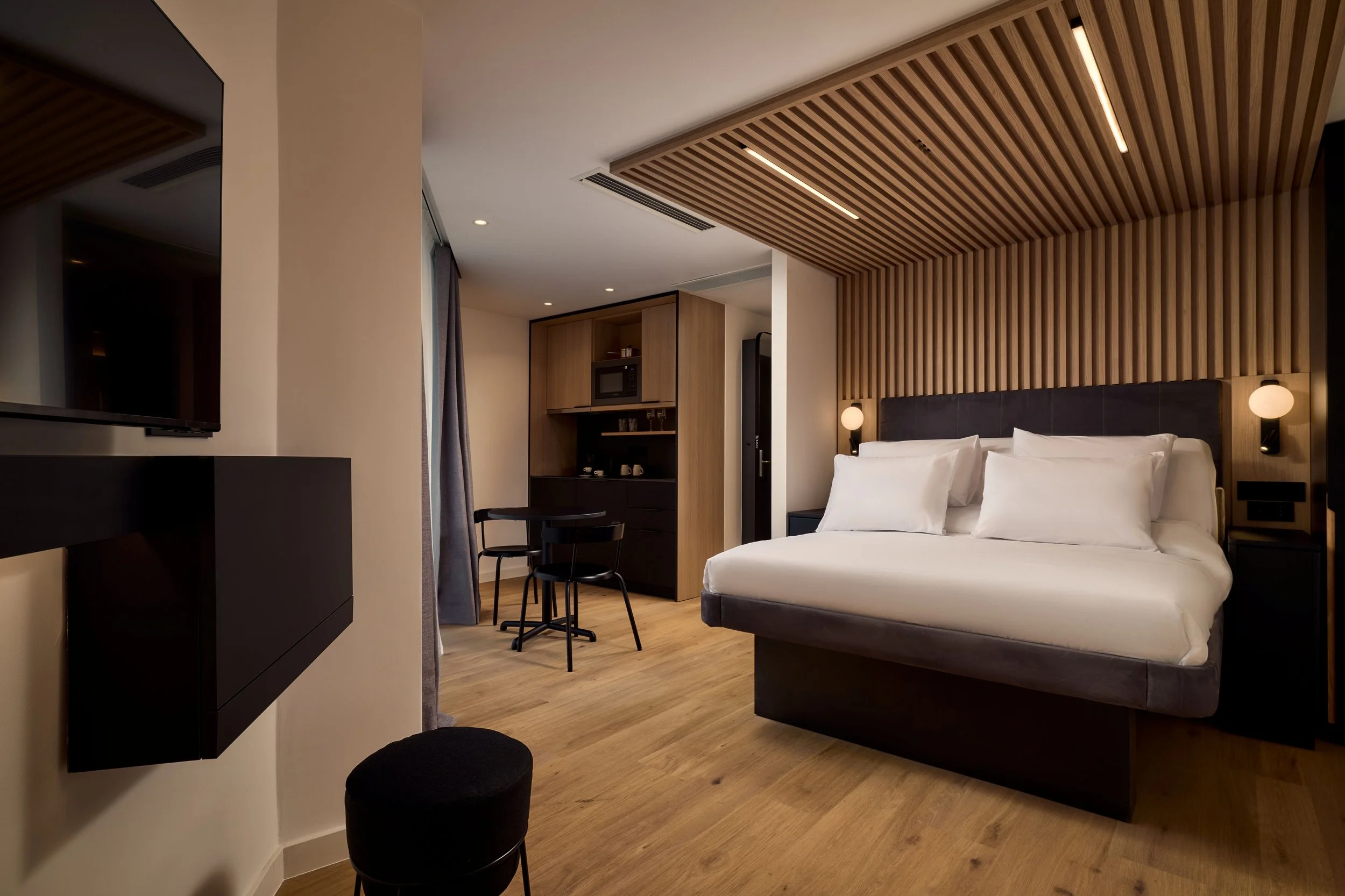
Studio apartment.
Sleeps up to 2 adults
Queen-size reclining SmartBed
Kitchenette with hob, microwave, kettle, coffee machine, kitchen utensils, crockery and cutlery
Private bathroom with rain shower and complimentary toiletries
Desk and chair
Room size: 23 - 27 sqm
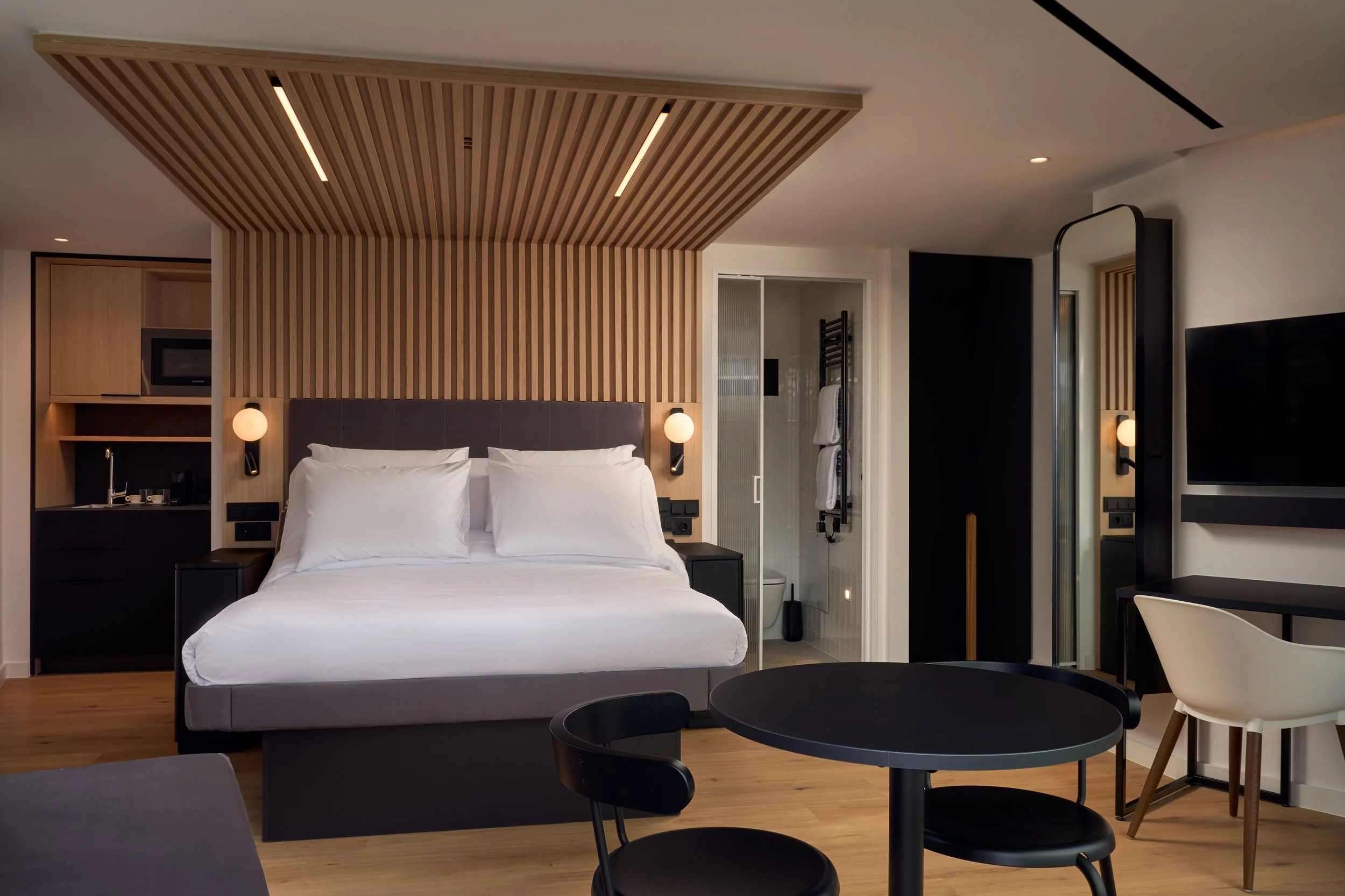
Superior apartment.
Sleeps up to 2 adults with room for an infant
Queen-size reclining SmartBed
Kitchenette with dishwasher, hob, microwave, kettle, coffee machine, kitchen utensils, crockery and cutlery
Private bathroom with rain shower and complimentary toiletries
Desk, chair and seating area
Some rooms feature a Juliette balcony
Room size: 23 - 31 sqm
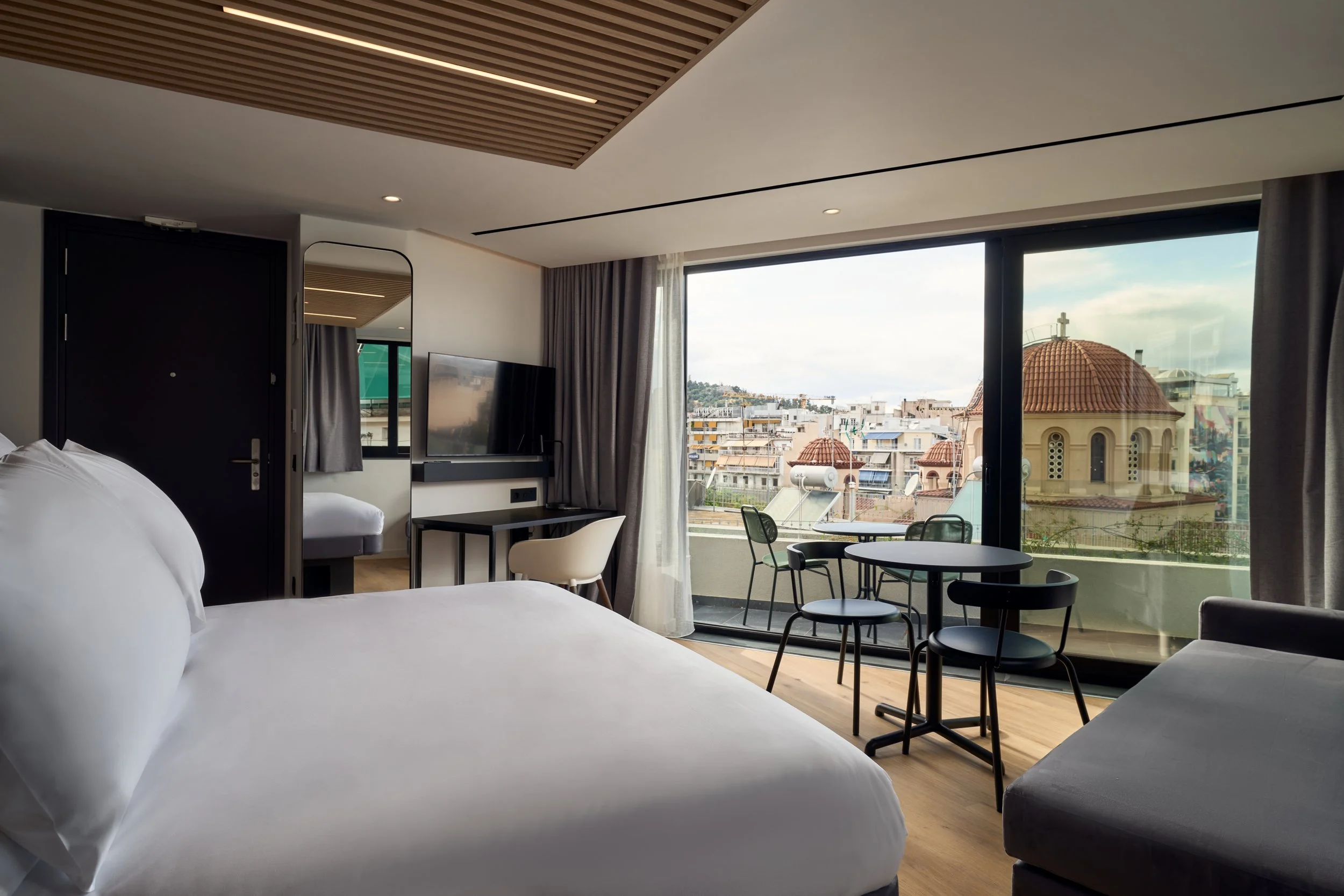
Superior with balcony.
Sleeps up to 2 adults with room for an infant
Queen-size reclining SmartBed
Kitchenette with dishwasher, hob, microwave, kettle, coffee machine, kitchen utensils, crockery and cutlery
Private bathroom with rain shower and complimentary toiletries
Desk, chair and seating area
Balcony or terrace with table and chairs
Room size: 23 - 32 sqm
FAQs.
Location.
-
Grea Iras is in the central neighbourhood of Neos Kosmos. It’s on the edge of the Plaka district - Athens’ famous old town, while the Acropolis, Arch of Hadrian and Syntagma Square are within easy walking distance. Syngrou- Fix metro station, bus and tram stops are less than a five-minute walk to access the wider city.
-
The Acropolis and Acropolis Museum are an easy 15 minute walk from our aparthotel. So close in fact that some of our apartments have stand out views of the Acropolis as well as the Heroon of Mousaois and Lycabettus Hill.
-
Syngrou-Fix metro station is a 3-minute walk (M2 line). Syntagma (M2 and M3 line) and Monastiraki (M1 and M3 lines) metro stations are both within a 15-minute walk, connecting you to the wider city in no time.
Fix tram stop is 1 minute from the hotel.
-
Athens Eleftherios Venizelos International Airport is less than an hour by public transport from Grea Iras Apartments. Take the M3 line to Syntagma, and then change to the M2 line to Syngrou-Fix. We’re a 3 minute walk from there.
Alternatively, a taxi from the airport will take around 40-minutes.
Access.
-
You’ll receive your personal door code to access the building before your arrival day.
When you enter the building, you can complete your check in at the self-service station and collect your key to your apartment.
-
Check-in: 3:00 PM
Check-out: 11:00 AM
-
Your door code will give you access from 8am on the day of your arrival. If you arrive before 3pm, we have a small number of luggage lockers available for guests to use at their own risk. You will receive a notification via email and/or WhatsApp when your apartment is ready. We cannot guarantee early check in and cannot take requests.
-
A late check-out may be available upon request and for a fee. Please contact our crew at least 24 hours before your departure time to check availability.
-
If you have checked-in online, you will receive your apartment number via email or WhatsApp when your apartment is ready. If you check-in at the self-service station, your apartment number will display on the screen.
-
Reach out to us at contact@greairas.com —we’ll get you sorted as soon as we can.
-
No, full payment for your stay will be taken prior to arrival.
You will need your passport or ID number to check in though.
Facilities.
-
Every apartment has a hob, fridge, microwave, kettle, tea and coffee making facilities as well as cooking utensils, crockery and cutlery. Superior Apartments also have a dishwasher.
-
Wash & Go is located on the ground floor and includes washing machines and tumble dryers, available on a first come, first served basis. Your keycard will give you access 24/7.
The machines are free to use and self-service.
-
There is a small fitness room on the 5th floor, with a spin bike and bench. The room is available 24/7 on a first come, first served basis. You will be able to access the room using your keycard.
-
We do not have a restaurant and food and drink is not available to purchase at Grea Iras. There are many cafes, bars and restaurants, as well as 24/7 convenience stores close by.
-
Pets are not allowed. Service or guide dogs are welcome with prior notice.
-
Infants are welcome but we do not provide travel cots. Guests are welcome to bring their own cot. Apartments are suitable for up to two adults and one infant.
-
Grea Iras Apartments does not have accessible compliant rooms. It is also not suitable for people with limited mobility due to the building entrance located on a hill.